The Olympus OM-D EM5 Mark IIhas a completely cool feature they call keystone compensation. It’s a kind-of weird name – but dig a little deeper and you run into the keystone effect which is the apparent distortion of an image caused by projecting it onto an angled surface. It basically makes a square look like a trapezoid, which is the shape of an architectural stone known as a keystone. Now normally when you take a photograph of a building, this effect comes into play. Reducing the keystone effect is called keystone correction. There are special lenses that remove this distortion, i.e. tilt-shift lenses. Now Olympus has introduced an algorithm which compensates for the keystone effect. Here is an example of keystone correction (distortion is shown as the opaque pink region).
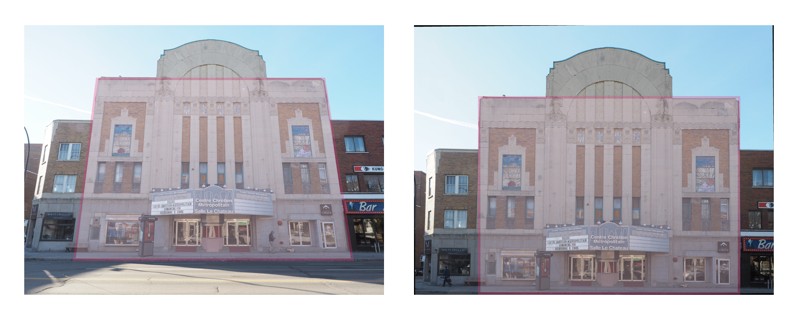
Olympus has introduced an algorithm on some of their cameras (e.g. EM5ii) which compensates for the keystone effect. First, you have to enable Keystone Correction in “Shooting Menu 2”.

Then it’s a simple matter of using the front or rear dial for correction. The front dial is used to horizontal correction, and the rear dial is used for vertical correction. Note that it doesn’t allow for both types of keystone compensation to be used at the same time. If you decide to change from vertical to horizontal correction, you have to reset the vertical component to 0. Frame the shot and adjust the effect in the display using the front and rear dial. Select the area to be recorded using the directions buttons (surrounding the OK button).
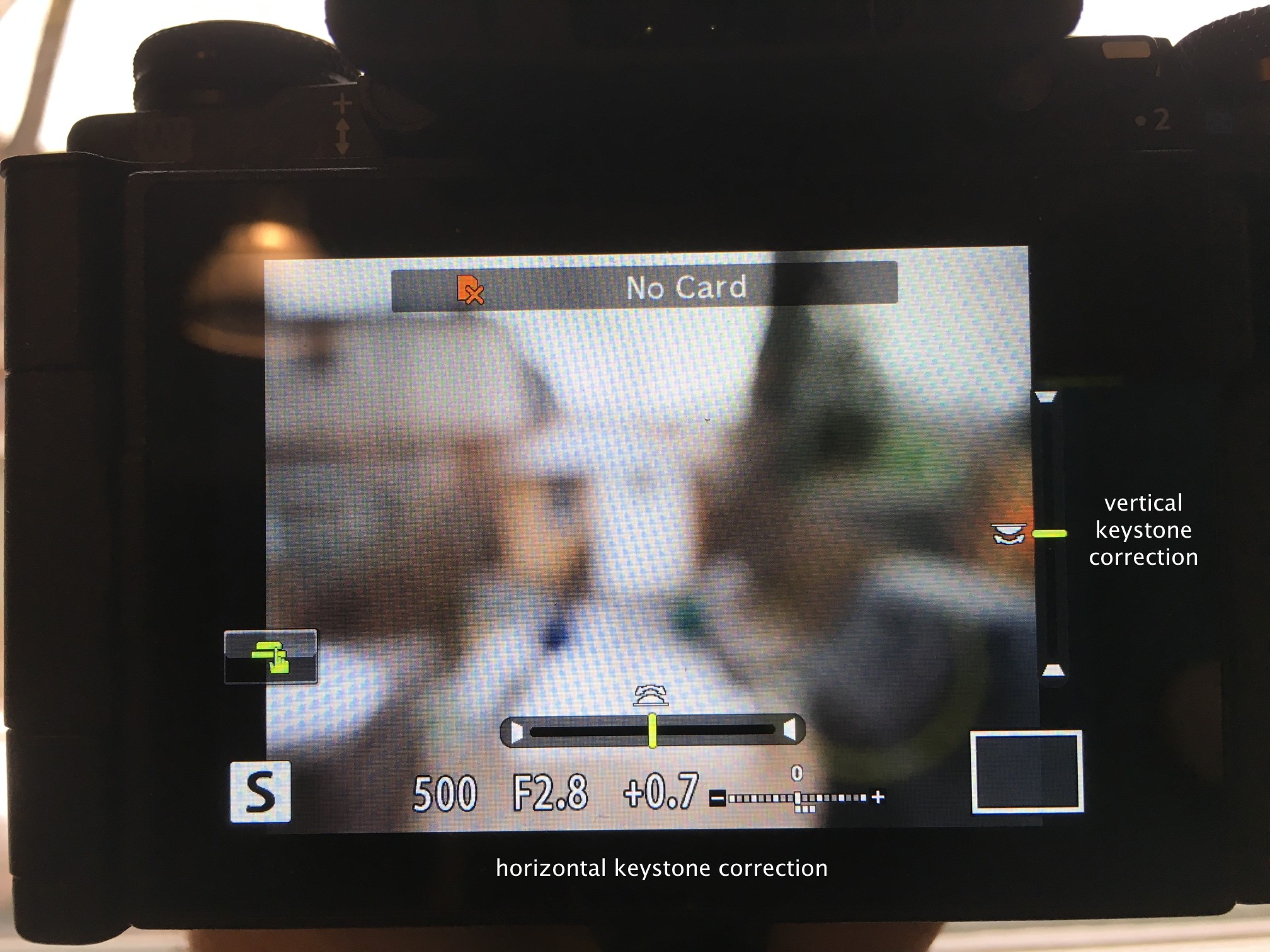
The only trick is using the INFObutton to switch between keystone compensation and making adjustments to exposure compensation. In fact if you are using keystone correction often, I would program it into one of the function buttons.
Keystone Compensation mode enables keystone distortion to be corrected when shooting architecture and product photography without resorting to tilt-shift lenses or post-processing corrections in Photoshop.
 Crafting Pixels