Fixing photographs (e.g. travel snaps) (ii)

3︎⃣ Fixing light with B&W

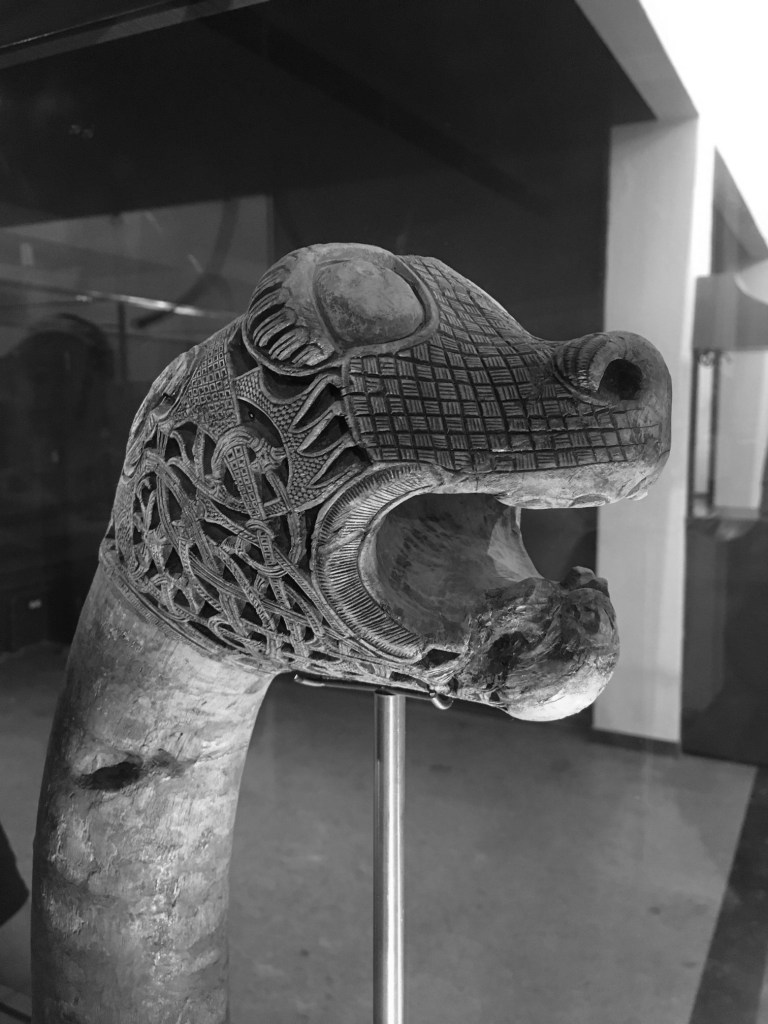
There are some images which contain shafts of light. Sometimes this light helps highlight certain objects in the photograph, be it as hard light or soft light. Consider the following photo of a viking carving from the Viking Ship Museum in Oslo. There are some nice shadows caused by the light streaming in from the right side of the scene. One way to reduce the effects of light is to convert the photograph to black-and-white.
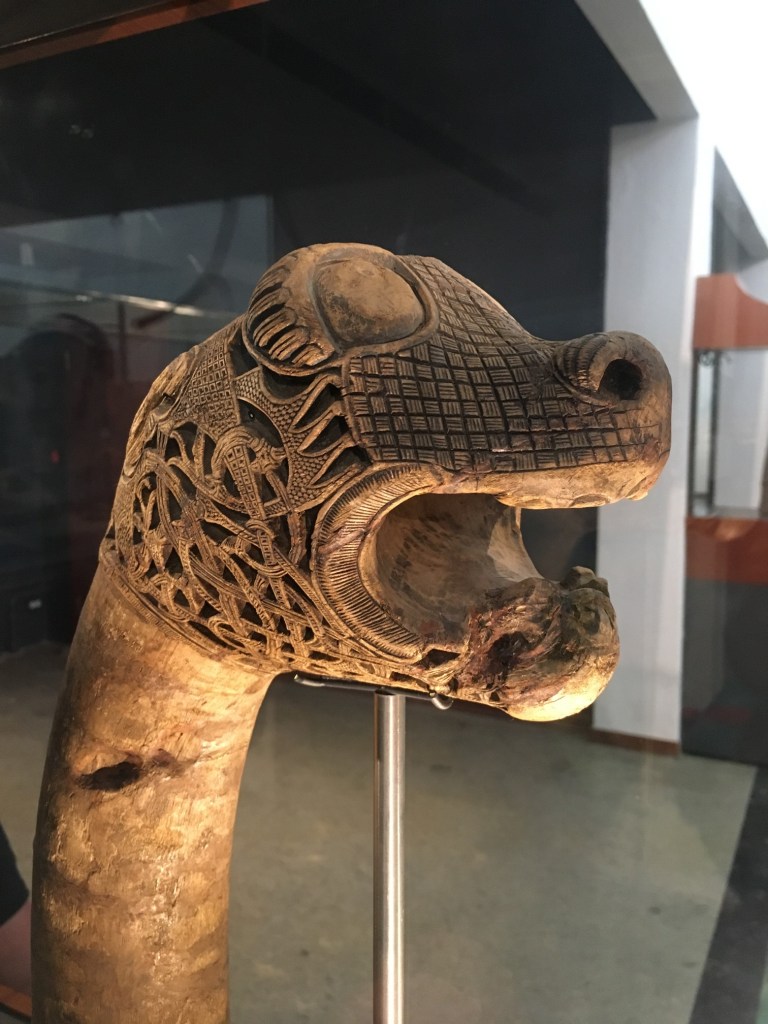
By suppressing the role colour plays in the image, the eyes become more fixated on the fine details, and less on the light and shadows.

4︎⃣ Improving on sharpness

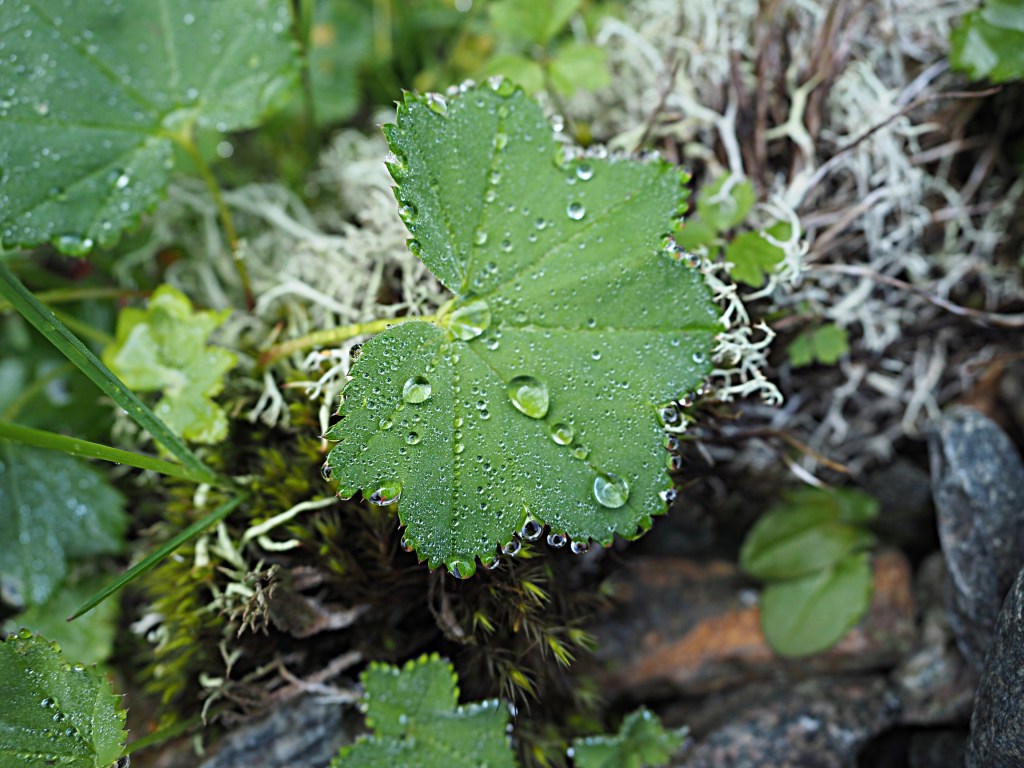
Sometimes it is impossible to take a photograph with enough sharpness. Tweaking the sharpness just slightly can help bring an extra crispness to an image. This is especially true in macro photographs, or photographs with fine detail. If the image is blurry, there is every likelihood that it can not be salvaged. There is only so much magic that can be performed by image processing. Here is a close-up of some water droplets on a leaf.
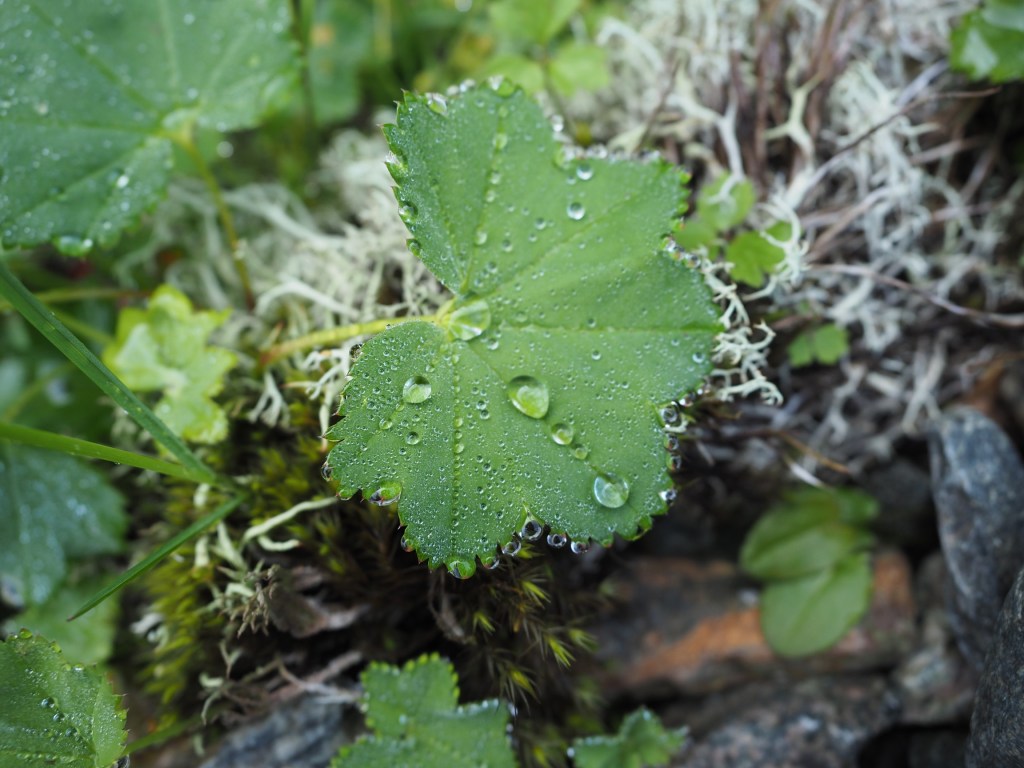
If we filter the image using some unsharp masking to sharpen the image, we get:
5︎⃣ Saturating colour

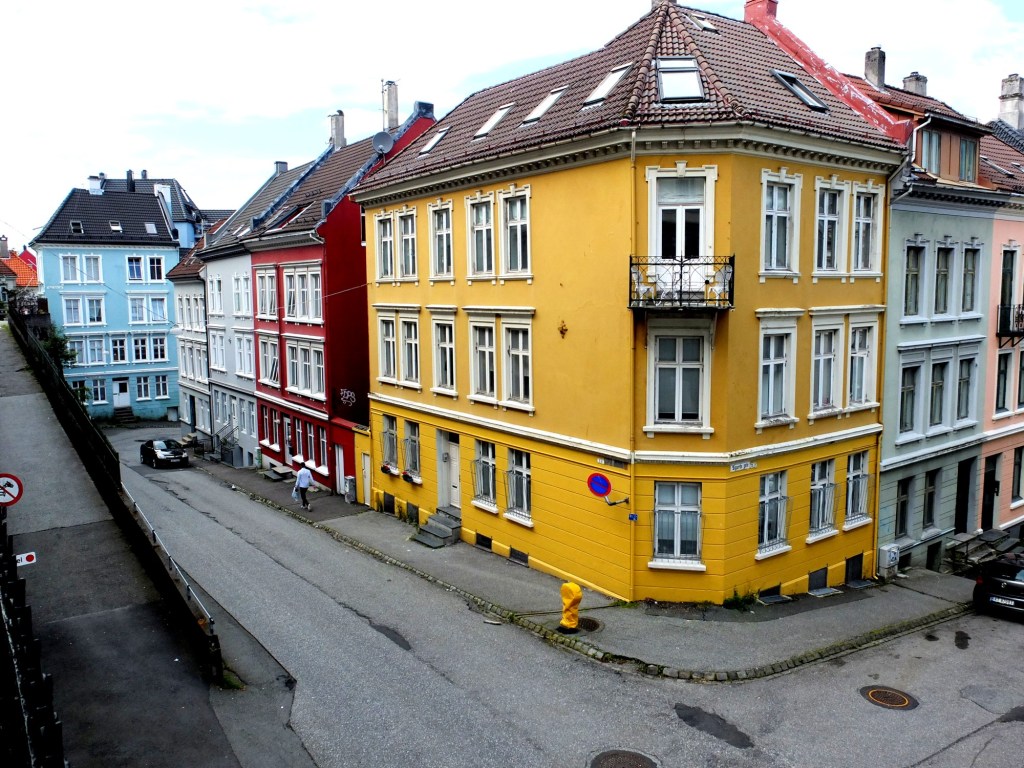
Photographs of scenes containing vivid colour may sometimes appear quite dull, or maybe you want to boost the colour in the scene. By adjusting the colour balance, or manipulating the colour histogram, it is possible to boost the colours in a photograph, although they may end up “unrealistic” colours in the processed image. Here is a street scene of some colourful houses in Bergen, Norway.
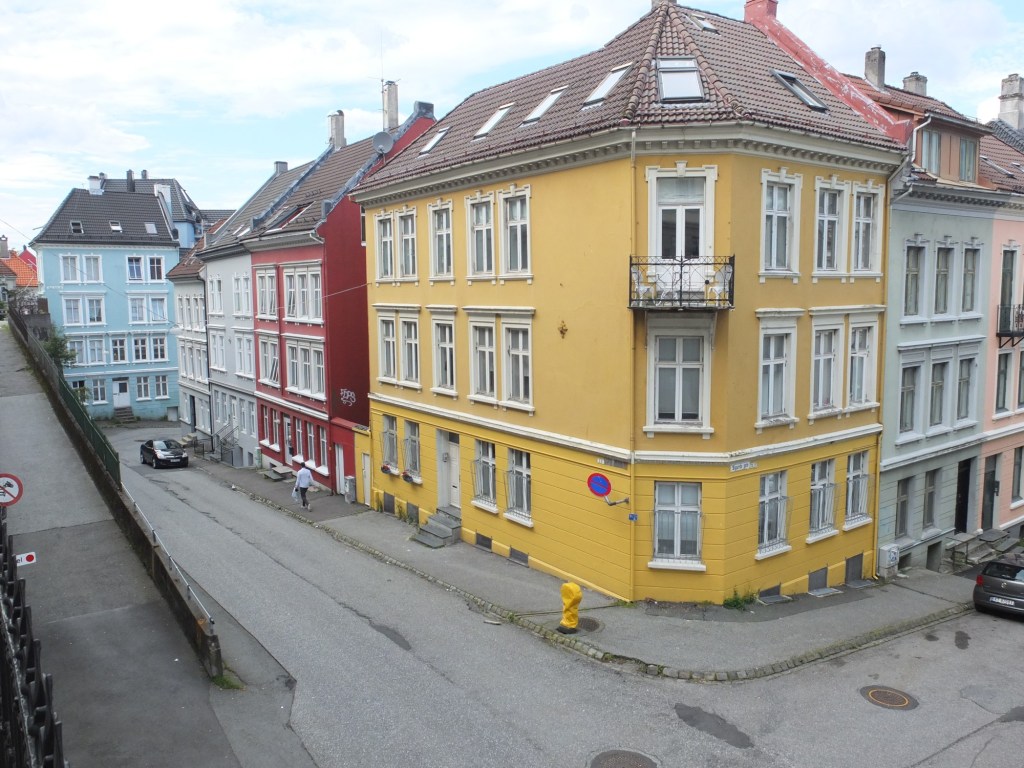
Here the image has been processed with a simple contrast adjustment, although the blue parts of the sky have all but disappeared.
Fixing photographs (e.g. travel snaps) (i)

When travelling, it is not always possible to get a perfect photograph. You can’t control the weather – sometimes it is too sunny, and other times there is not enough light. So the option of course is to modify the photographs in some way, fixing what is considered “unaesthetic”. The problem lies in the fact that cameras, as good as they are, don’t always capture a scene the way human eyes do. Your eyes, and brain correct for many things that aren’t possible with a camera. Besides which we are all tempted to make photographs look brighter – a legacy of the filters in apps like Instagram. Should we fix photographs? It’s one of the reasons the RAW file format exists, so we can easily modify an images characteristics. At the end of the day, we fix photographs to make them more aesthetically pleasing. I don’t own a copy of Photoshop, so I don’t spend copious hours editing my photographs, it’s usually a matter of adjusting the contrast, or performing some sharpening.

There is of course the adage that photographs shouldn’t be modified too much. I think performing hundreds of tweaks on a photograph results in an over-processed image that may not really represent what the scene actually looked like. A couple of fixes to improve the aesthetic appeal?

So what sort of fixes can be done?

1︎⃣ Fixing for contrast issues

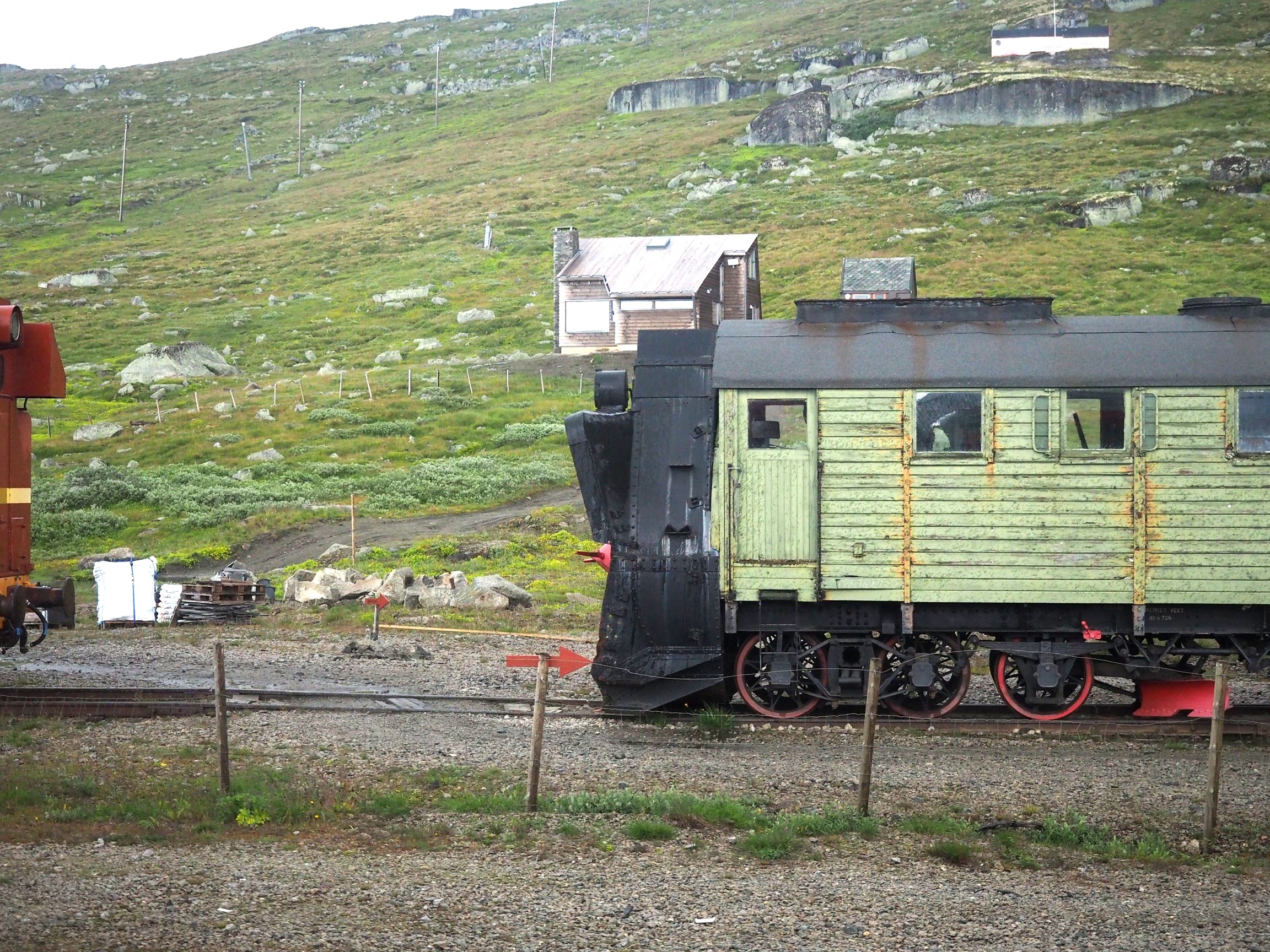
Sometimes its not possible to take a photograph with the right amount of contrast. In an ideal world, the histogram of a “good” photograph should be uniformly distributed. Sometimes, there are things like the sky being overcast that get in the way. Consider the following photo, which I took from a moving train using shutter-priority with an overcast sky.

A lack of contrast

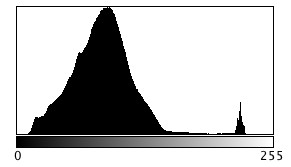
The photograph seems quite nice right? Does it truly reflect the scene I encountered? Likely not quite. If we investigate the histogram (the intensity histogram), we notice that there is one large peak towards the low end of the spectrum. There is also a small spike near the higher intensity regions, most likely related to the light regions such as the sky.

So now if we stretch the histogram, the contrast in the image will improve, and the photograph becomes more aesthetically pleasing, with much brighter tones.

Improving contrast

2︎⃣ Fixing for straight lines

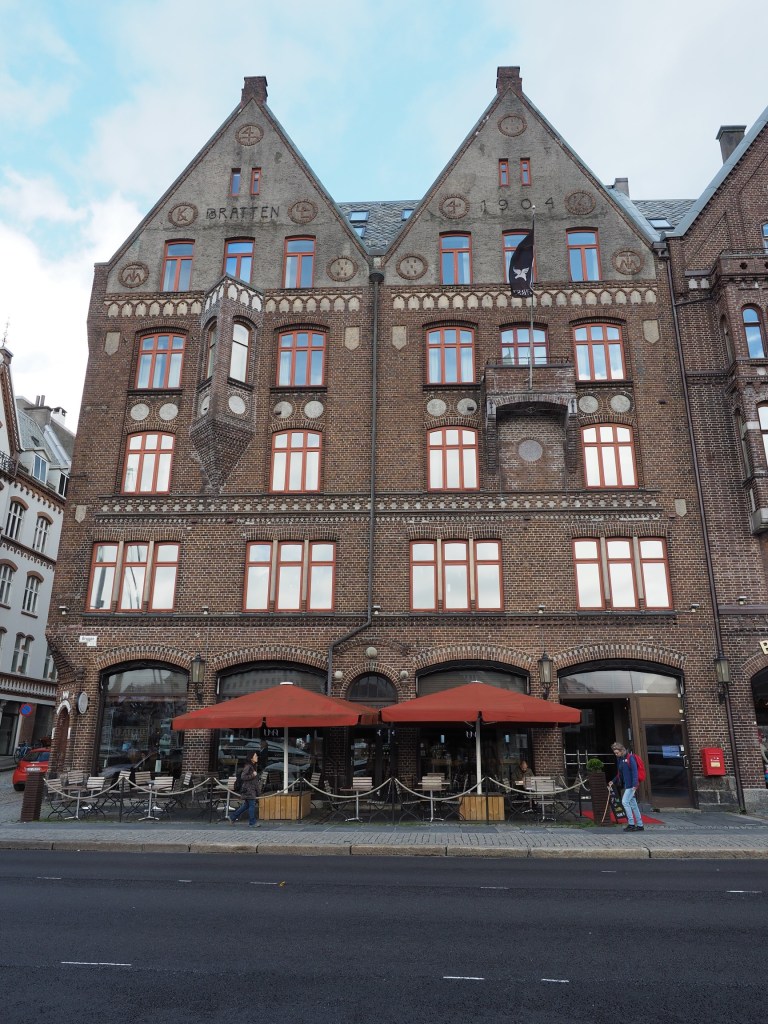
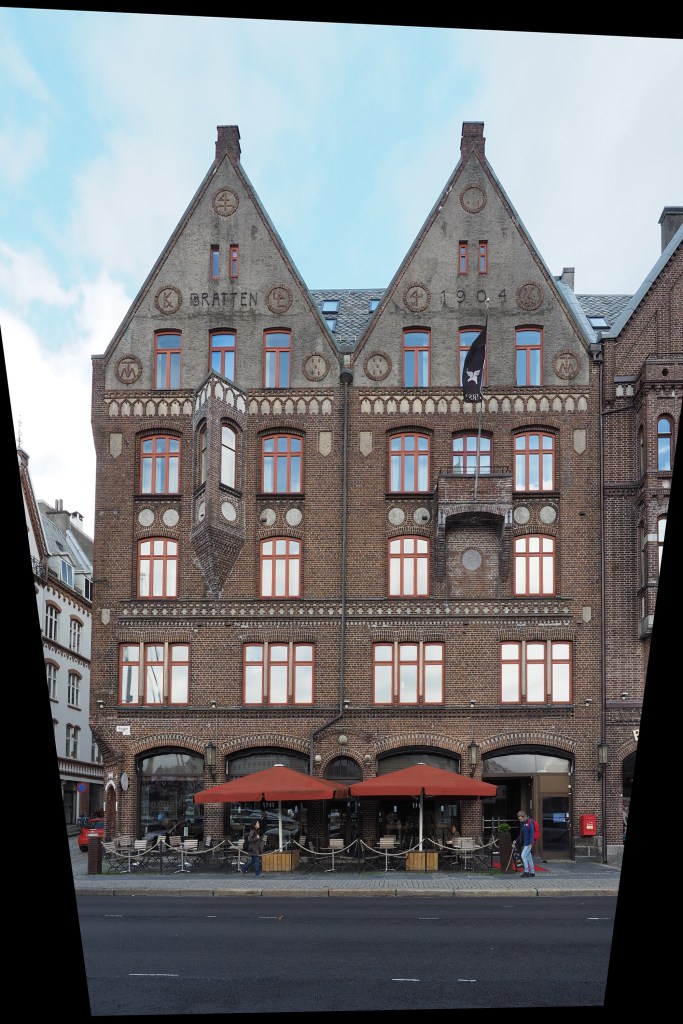
In the real world, the lines of buildings are most often straight. The problem with lenses is that they are curved, and sometimes this impacts the form of photograph being acquired. The wider the lens, the more straight lines converse to the centre of the image. The worse case scenario are fish-eye lenses, which can have a field of view of up to 180°, and result in a barrel distortion. Take a photograph of a building, and the building will appear distorted. Human eyes compensate for this with the knowledge that it is a building, and its sides should be parallel – they do not consciously notice converging vertical lines. However when you view a photograph, things are perceived differently – it often appears as though a building is leaning backwards. Here is an photograph of a building in Bergen, Norway.

Performing a perspective correction creates an image where the vertical lines of the building are truly vertical. The downside is of course that the lower portion of the image has been compressed, so if the plan is to remove distortion in this manner, make sure to allow enough foreground in the image. Obviously it would be better to avoid these problems when photographing buildings.

Could blur be the new cool thing in photography?

For many years the concept of crisp, sharp images was paramount. It lead to the development of a variety of image sharpening algorithms to suppress the effect of blurring in an image. Then tilt-shift appeared, and was in vogue for a while (it’s still a very cool effect). Here blur was actually being introduced into an image. But what about actually taking blurry images?

I have been experimenting with adding blur to an image, either through the process of  manually defocusing the lens, or by taking a picture of a moving object. The results? I think they are just as good, if not better than if I had “stopped the motion”, or created a crisp photograph. We worry far too much about defining every single feature in an image, and too little on a bit of creativity. Sometimes it would be nice to leave something in an image that inspires thought.

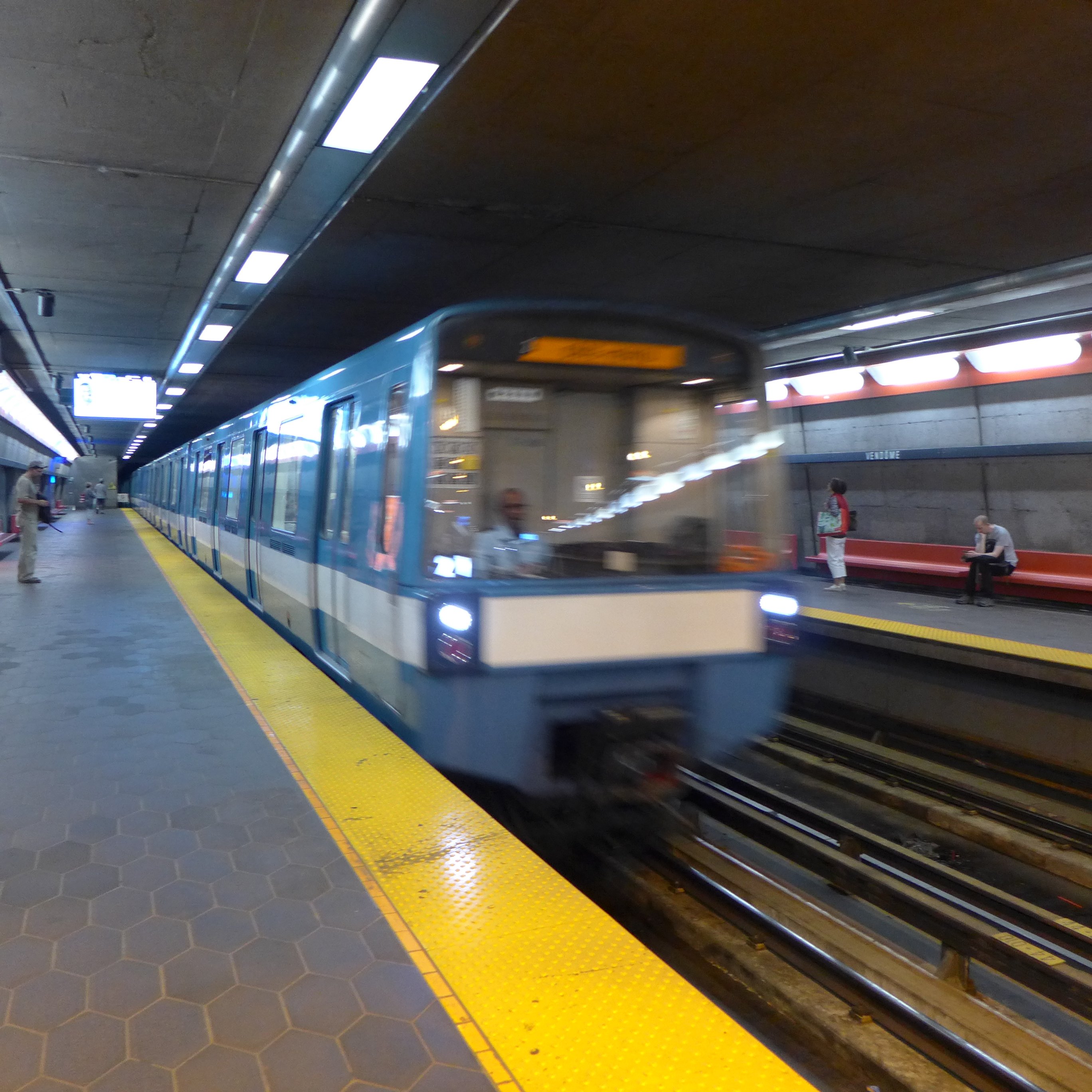
Here’s an example of motion-blur, a Montreal Metro subway car coming into a platform. It is almost the inverse of tilt-shift. Here the object of interest is blurred, and the surround area is kept crisp. Special equipment needed? Zip.

What if we interpret photographs differently?

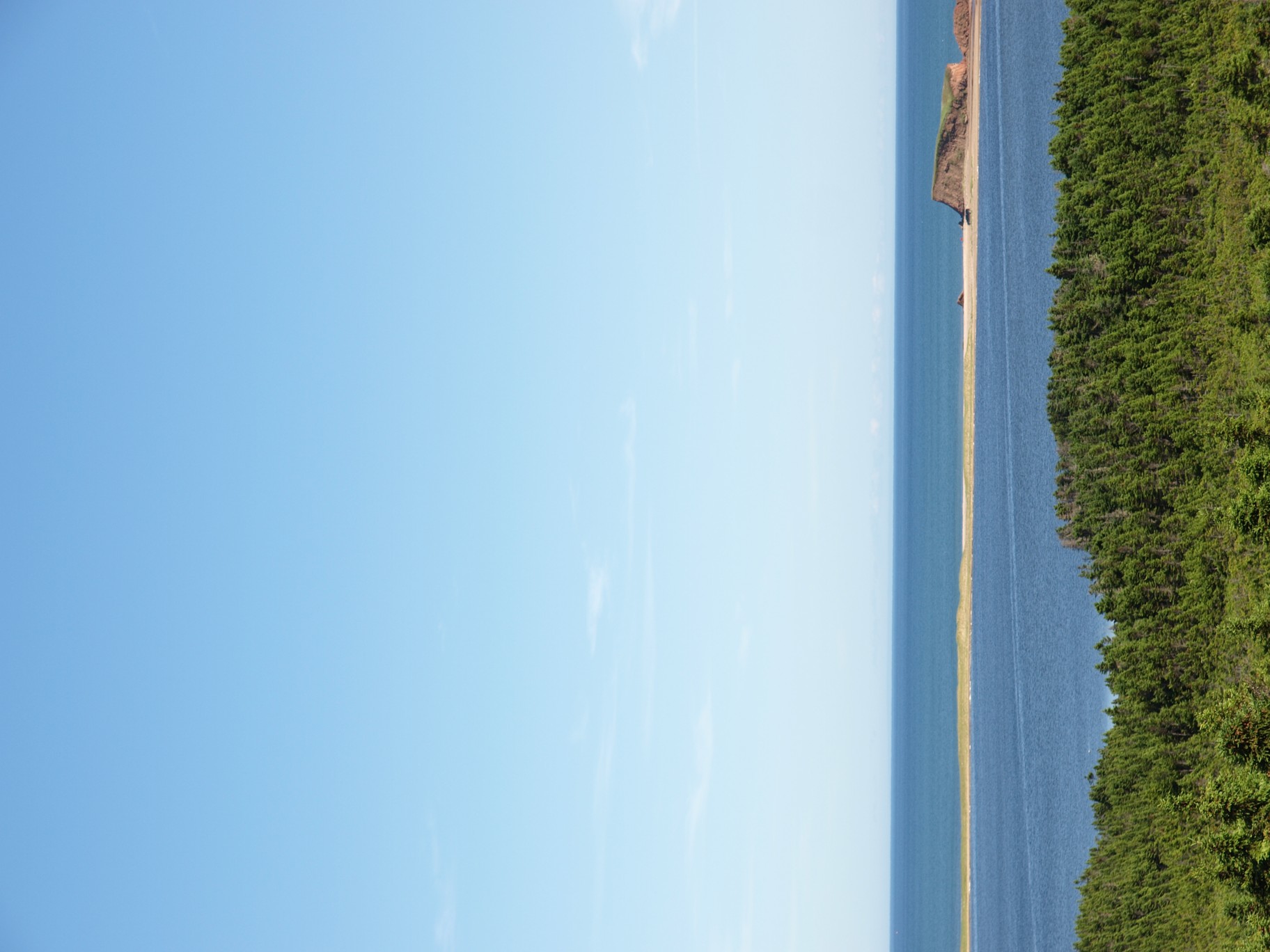
Have you ever taken a photo in portrait mode, and viewed it in landscape mode like this?

Îles de la Madeleine

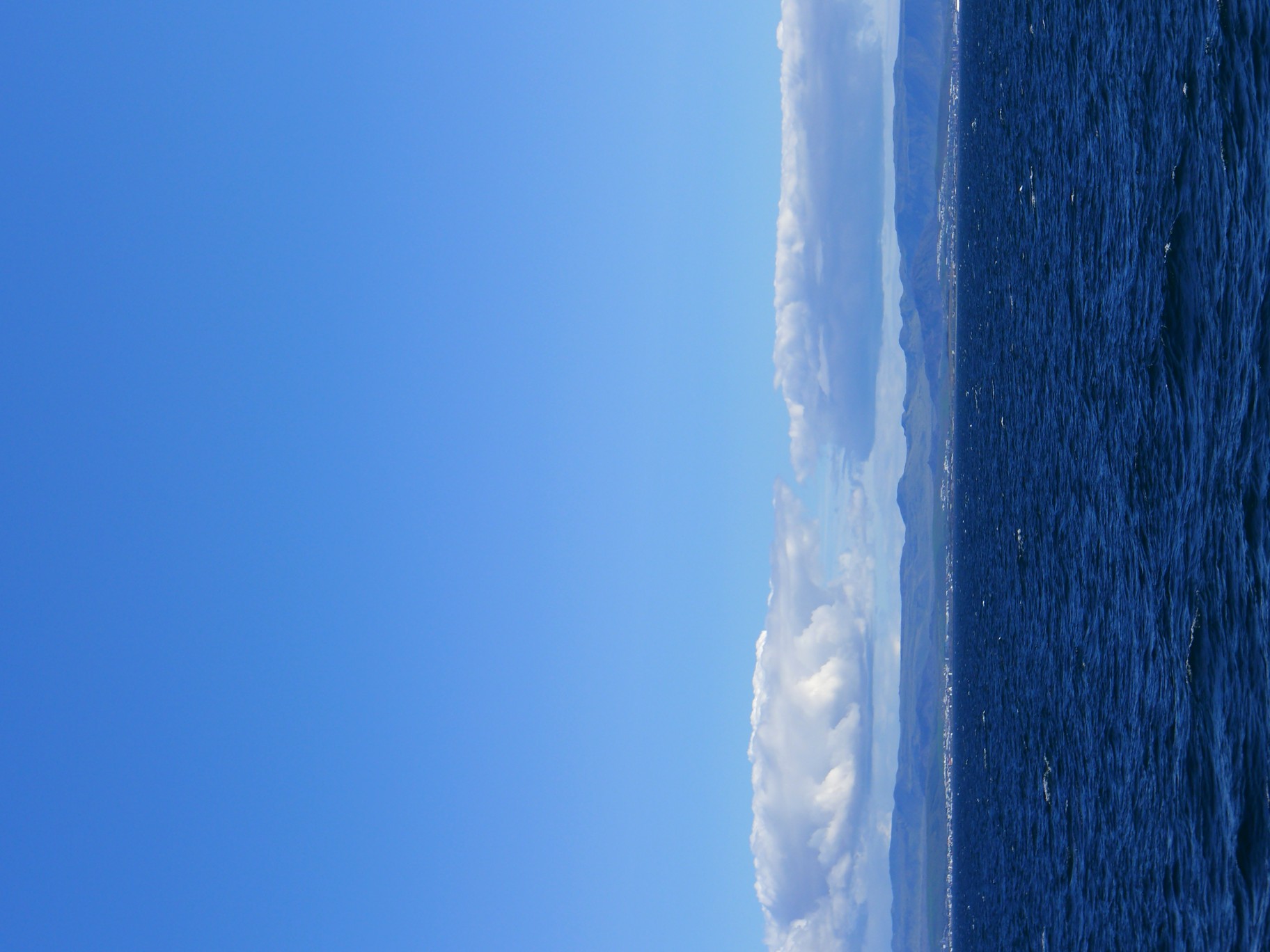
Yes, this is how I meant to view it. A normal photograph doesn’t give any perspective of how large and wonderful this planet truly is. Viewing a photograph in this manner one sees earth on the right, and the vastness of the sky and the space beyond on the left. It provides an abrupt edge of the world perspective. We should do more to protect our home. Here is a second one, taking the opposite view from the sea to land.

Iceland near Reykjavik

One may now look at this as one piece of a jigsaw puzzle of millions of photographs, each showing the limits of our existence.

Why image processing is an art

There are lots of blogs that extol some piece of code that does some type of “image processing”. Classically this is some type of image enhancement – an attempt to improve the aesthetics of an image. But the problem with image processing is that there are aspects of if that are not really a science. Image processing is an art fundamentally because the quality of the outcome is often intrinsically linked to an individuals visual preferences. Some will say the operations used in image processing are inherently scientific because they are derived using mathematical formula. But so are paint colours. Paint is made from chemical substances, and deriving a particular colour is nothing more than a mathematical formula for combining different paint colours. We’re really talking about processing here, and not analysis (operations like segmentation). So what forms of processing are artistic?

  1. Anything that is termed a “filter”. The Instagram-type filters that make an ordinary photo look like a Polaroid. 
  2. Anything with the word enhancement in it. This is an extremely loose term – for it literally means “an increase in quality” – what does this mean to different people? This could involve improving the contrast in an image, removing blur through sharpening, or maybe suppressing noise artifacts.

These processes are partially artistic because there is no tried-and-true method of determining whether the processing has resulted in an improvement in the quality of the image. Take an image, improve its contrast. Does it have a greater aesthetic appeal? Are the colours more vibrant? Do vibrant colours contribute to aesthetic appeal? Are the blues really blue?

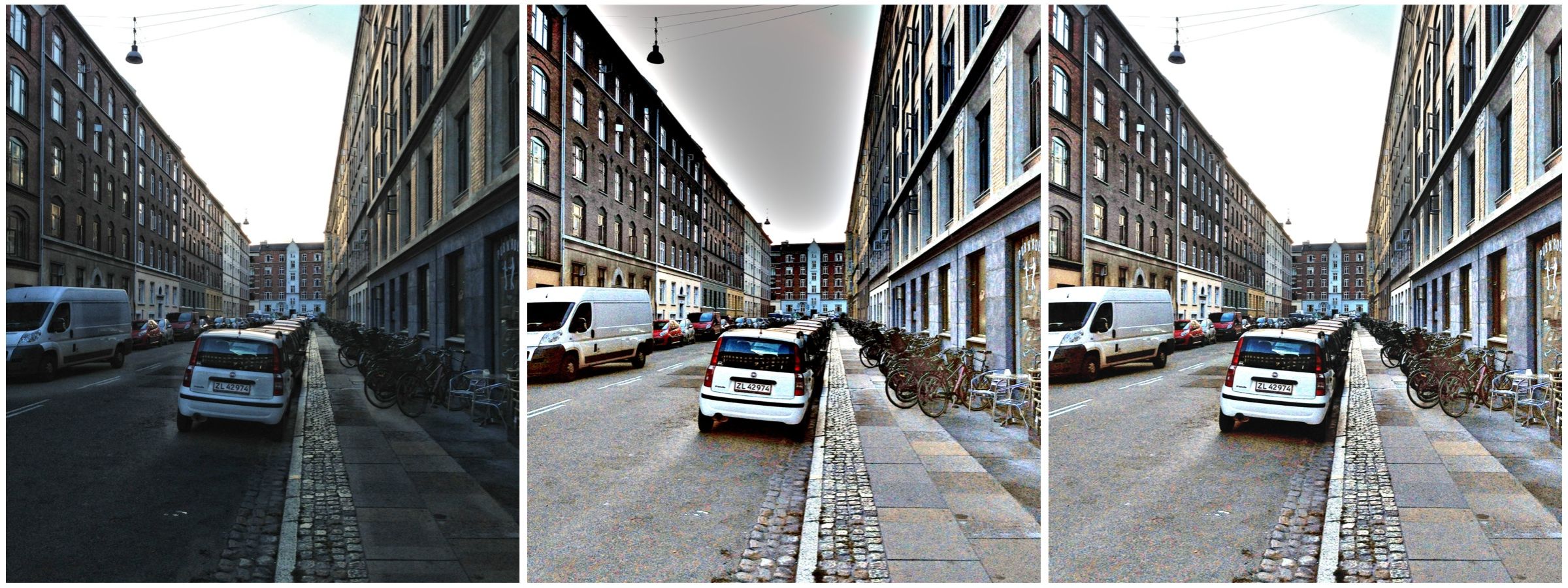
Contrast enhancement: (a) original, (b) Retinex-processed, (c) MAXimum of (a) and (b)

Consider the photograph above. To some, the image on the left suffers from being somewhat underexposed, i.e. dark. The image in the middle is the same image processed using a filter called Retinex. Retinex helps remove unfavourable illumination conditions – the result is not perfect, however the filter can help recover detail from an image in which it is enveloped in darkness. Whilst a good portion of the image has been “lightened”, the overcast sky has darkened through the process. There is no exact science for “automagically” making an image have greater aesthetic appeal. The art of image processing often requires tweaking settings, and adjusting the image until it appears to have improved visually. In the final image of the sequence below, the original and Retinex processed images are used to create a composite by retaining only the maximum value at each pixel location. The result is a brighter, contrasty, more visually appealing image.

Colour versus grayscale pixels

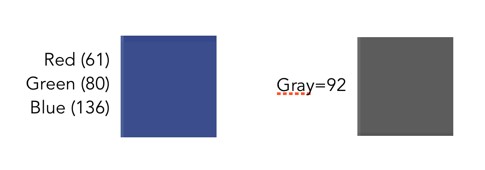
Colour pixels are different from grayscale pixels. Colour pixels are RGB, meaning they have three pieces of information associated with them, namely the Red, Green and Blue components. Grayscale pixels have one component, a gray tone derived from a graduate scale from black to white. A colour pixel is generally 24-bit (3 × 8-bit), and a gray pixel is just 8-bit. This basically means that a colour pixel has a triplet value comprised of 0..255 for each of red, green and blue components, whereas a grayscale pixel has a single values 0..255. The figure below compares a colour and grayscale pixel. The colour pixel has the R-G-B value 61-80-136.The grayscale pixel has the value 92.

It is easy to convert a pixel from colour to grayscale (like applying a monochrome filter in a digital camera). The easiest method is simply averaging the three values of R, G, and B. In the sample above, the grayscale pixel is actually the converted RGB: (61+80+136)/3 = 92.

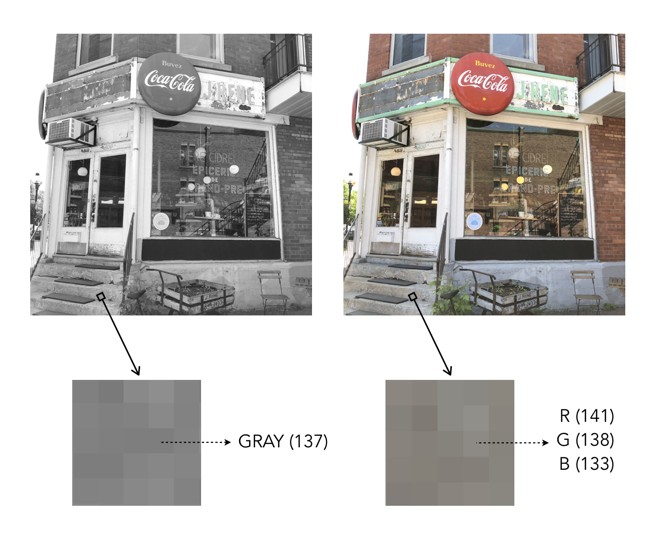
Now colour images also contain regions that are gray in colour – these are 24-bit “gray” pixels, as opposed to 8-bit grayscale pixels. The example below shows a pixel in a grayscale image, and the corresponding “gray” pixel in the colour image. Grayscale pixels are pure shades of gray. Pure shades of gray in colour images are often represented with RGB all having the same value, e.g. R=137, G=137, B=137.

Pure gray versus RGB gray

How big are pixels?

A pixel is an abstract, size-less thing. A pixels size is relative to the resolution of the physical device on which it is being viewed. The photosites on a camera sensor do have a set dimension, but once an image is acquired, and the signal are digitized, image pixels are size-less.

For example, let’s consider TVs, and in particular 4K Ultra HD TVs. A 43″ version of this TV might have a resolution of 3840×2160 pixels (w×h). The 75″ version of this TV has *exactly* the same number of pixels – about 8 million of them. What changes is the pixel size, but then so does the distance you should view the TV from. The iPhone 11 in comparison has a screen size of 1792×828. For example, the 43″ 4K TV has dimensions of roughly 37″×20.8″, which means that the size of a pixel is 0.24mm. A 75″ 4K TV would have a pixel size of 0.41mm. An Apple Macbook Air with a 13.3″ screen (2560×1600 pixels) has a pixel size of 0.11mm.

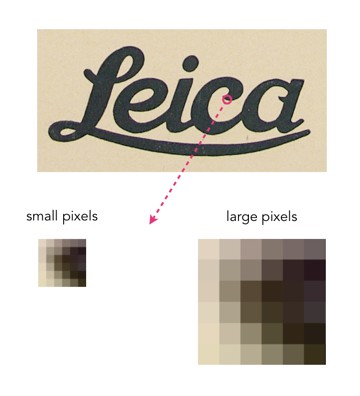
As an example consider the image below. Two sizes of pixels are shown, to represent different resolutions on two different physical devices. The content of the pixel doesn’t change, it just adapts to fill the physical pixels on the device.

Pixel sizes on different screens

Likely more important than the size of pixels is how many of them there are, so a better measure is PPI, or pixels-per-inch. The iPhone 11 has 326ppi, a typical 43″ TV has 102ppi, and the 75″ TV has 59ppi.

What is a pixel?

So camera sensors don’t have pixels, but what is a pixel?

A pixel is short for picture element, and represents the essential building block of images. The term was first coined in 1965, in two different academic articles in SPIE Proceedings in 1965, written by Fred C. Billingsley of Caltech’s Jet Propulsion Laboratory. An alternative, pel, was introduced by William F. Schreiber of MIT in the Proceedings of the IEEE in 1967 (but it never really caught on).

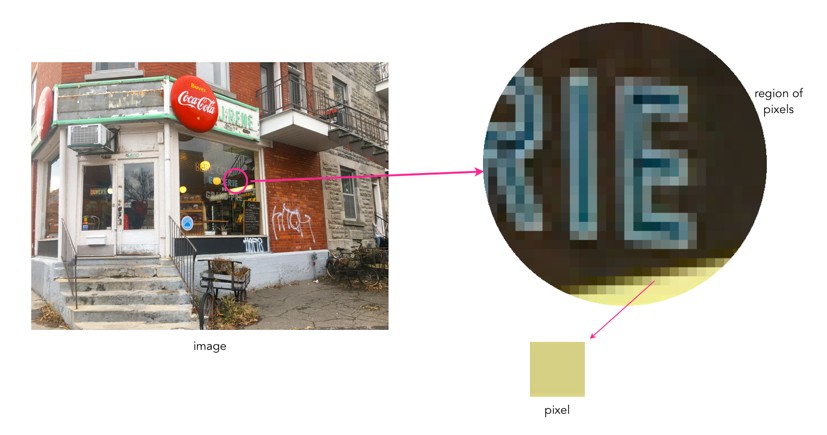
Pixels are square in shape. In the context of digital cameras, a pixel is derived from the digitization of a signal from a sensor photosite. Pixels come together in a rectangular grid to form an image. An image is somewhat like a mosaic in structure. Each pixel provides data for representing the entire picture being digitized. 

Picture showing relationship between an image and a pixel.

What are the characteristics of a pixel? Firstly a pixel is dimensionless. Pixels are not visible unless an image is overly enlarged, and their perceived “size” is directly related to the size of pixels on a physical device. An image shown on a mobile device will be deemed to have smaller pixels than an image shown on a 4K television.

Pixels have a value associated with them which represents their “colour”. This value relates to luminance in the case of a grayscale image, with a pixel taking a value between black (0) and white (255). In the case of a colour image this is both luminance and chrominance. A pixel in a colour image typically has three components, one for Red, one for Green, and one for Blue, or RGB – when the values are combined they derive a single colour.

The precision to which a pixel can specify colour is called its bit depth or colour depth. For example a typical grayscale image is 8-bit, or contains 2^8=256 shades of gray. A typical colour image is 24-bit, or 8 bits for each of Red, Green and Blue, providing 2^24 or 16,777,216 different colours.

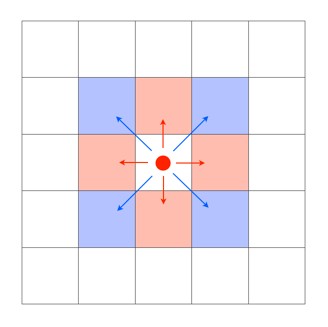
A single pixel considered in isolation conveys information on the luminance and/or chrominance of a single location in an image. A group of pixels with similar characteristics, e.g. chrominance or luminance, can coallesc together to form an object. A pixel is surrounded by eight neighbouring pixels, four of which are direct, or adjacent, neighbours, and four of which are indirect or diagonal neighbours.

pixel neighbours
Pixel neighbours: The red pixels are the direct neighbours, while the blue pixels are the indirect neighbours.

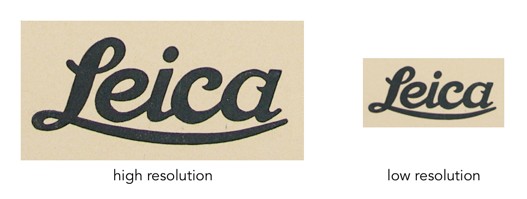
The more pixels an image contains, the more detail it has the ability to describe. This is known as image resolution. Consider the two pictures of the word “Leica” below. The high resolution version has 687×339 pixels, whereas the low resolution image is 25% of its size, at 171×84 pixels. The high resolution image has more pixels, and hence more detail.


Image enhancement (4) : Contrast enhancement

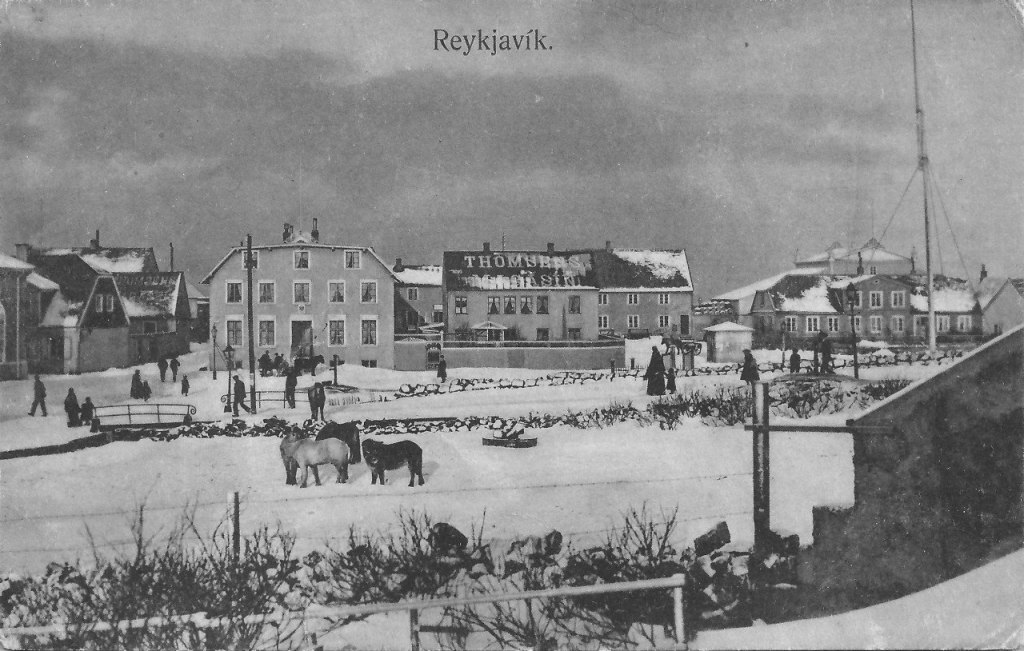
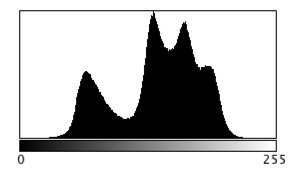
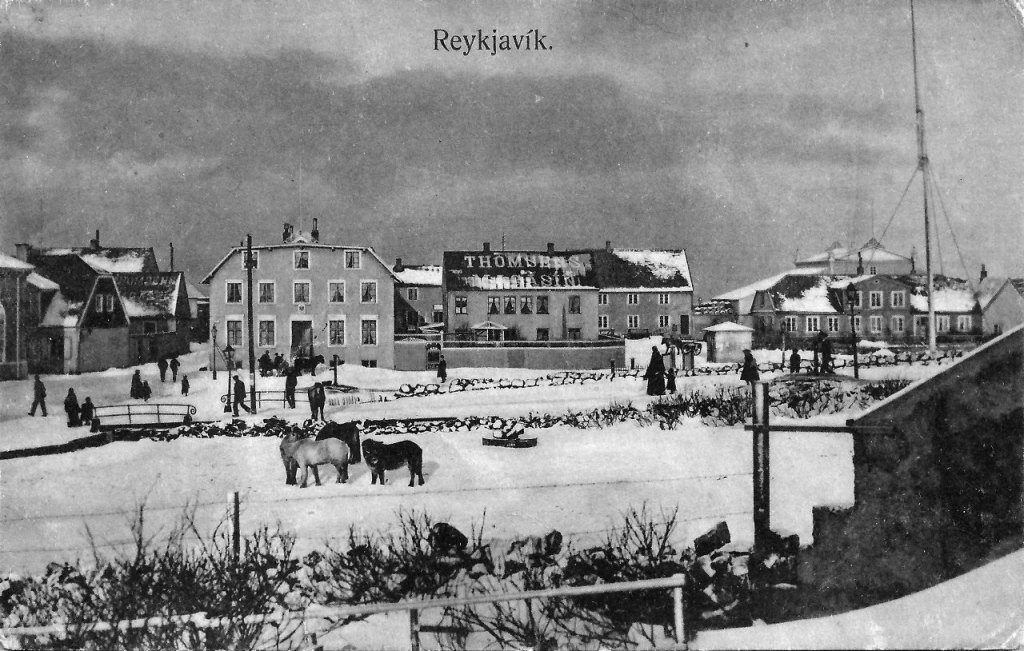
Contrast enhancement is applied to images where there is a lack of “contrast”. Lack of contrast manifests itself as a dull or lacklustre appearance, and can often be identified in image histograms.  Improving contrast, and making an image more visually (or aesthetically) appealing is incredibly challenging. This is in part because the result of contrast enhancement truly is a very subjective thing. This is even more relevant with colour images, as modifications to a colour, can impact different people differently. What ideal colour green should trees be? Here is a brief example grayscale image and its intensity histogram.

A picture of Reykjavik from a vintage postcard

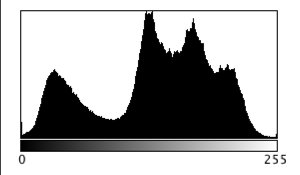
It is clear from the histogram that the intensity values do not span the entire range of values, effectively reducing the contrast in the image. Some parts of the image that could be brighter, are dull, and other parts of the image that could be darker, are lightened. Stretching both ends of the histogram out, effectively improves the contrast in the image.

The picture enhanced by stretching the histogram, and improving the contrast

This is the simplest way of enhancing the contrast of an image, although the level of contrast enhancement applied is always guided by the visual perception of the person performing the enhancement.

Image enhancement (3) : Noise suppression

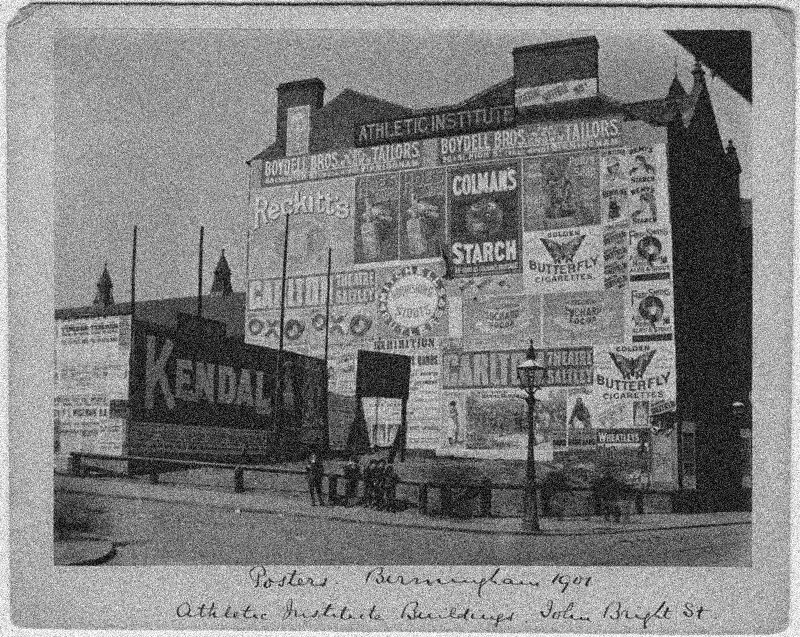
Noise suppression may be one of the most relevant realms of image enhancement. There are all kinds of noise, and even digital photographs are not immune to it. Usually the algorithms that deal with noise are grouped into two categories: those that deal with spurious noise (often called shot or impulse noise), and those that deal with noise that can envelop a whole image (in the guise of Gaussian-type noise). A good example of the latter is the “film grain” often found in old photographs. Some might think this is not “true” noise, but it does detract from the visual quality of the image, so should be considered as such. In reality noise suppression is not as important in enhancing images from digital cameras because a lot of effort has been placed on in-camera noise suppression.

Below is an example of an image with Gaussian noise. This type of noise can be challenging to suppress because it is “ingrained” in the structure of the image.

Image with Gaussian noise

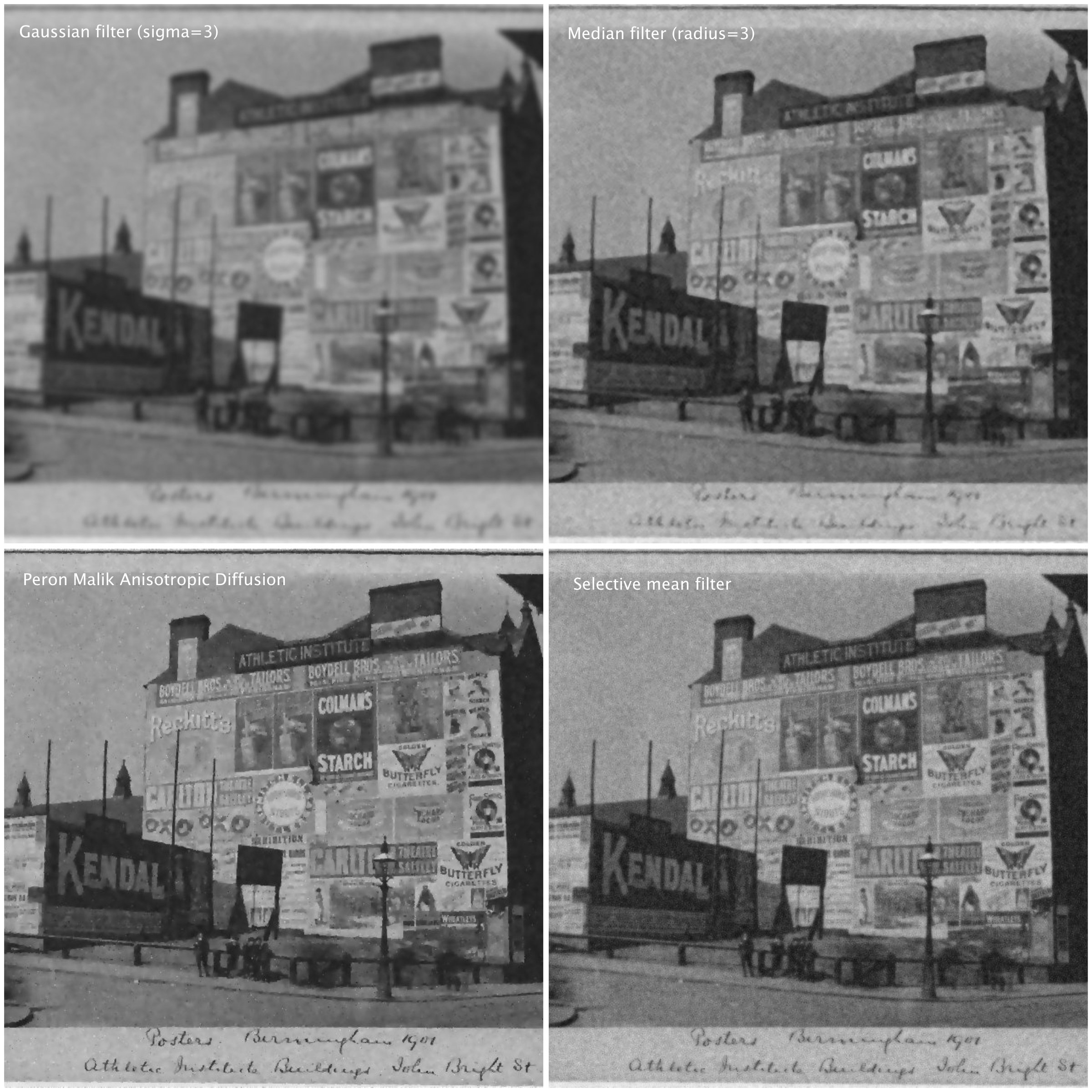
Here are some different attempts at trying  to suppress the noise in the image using different algorithms (many of these algorithms can be found as plug-ins to the software ImageJ):

  • A Gaussian blurring filter (σ=3)
  • A median filter (radius=3)
  • The Perona-Malik Anisotropic Diffusion filter
  • Selective mean filter
Examples of noise suppressed using various algorithms.

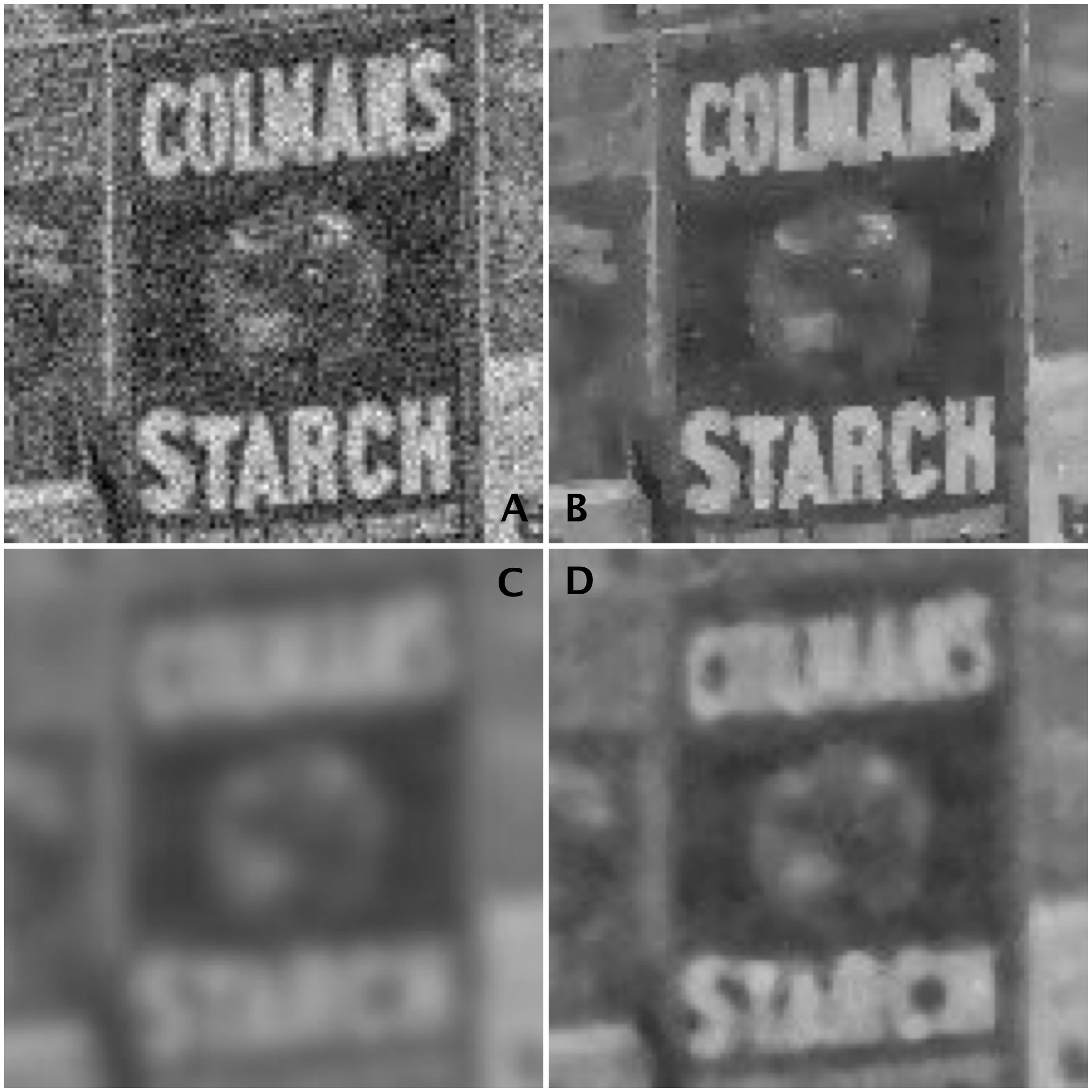
To show the results, we will look at the extracted regions from some of the algorithmic results compared to the original noisy image:

Images: (A) Noisy images, (B) Perona-Malik, (C) Gaussian blur, (D) Median filter

It is clear the best results are from the Perona-Malik Anisotropic Diffusion filter [1], which has suppressed the noise whilst preserving the outlines of the major objects in the image. The median filter has performed second best, although there is some blurring which has occurred in the processed image, which letters in the poster starting to merge together. Lastly, the Gaussian blurring has obviously suppressed the noise, whilst incorporating significant blur into the image.

Suppressing noise in an image is not a trivial task. Sometimes it is a tradeoff between the severity of the noise, and the potential to blur out fine details.

[1] Perona, P.,  Malik, J., “Scale-space and edge detection using anisotropic diffusion”, In: Proceedings of IEEE Computer Society Workshop on Computer Vision,. pp.16–22. (1987)